MothmrFarm management & satellite crop monitoring
Good farming starts with a clearer picture
Closer to your land. Clearer about tomorrow.
Every field has a story. Mothmr brings satellite observations, weather and daily farm work into one place, so you can spot changes, plan the next visit and keep your team moving together.
- satellite readings
- 17satellite readings
- true-colour imagery
- 10 mtrue-colour imagery
- field weather forecast
- 5-dayfield weather forecast
- languages, Arabic fully RTL
- 5languages, Arabic fully RTL
How it works
From knowing your field to knowing what comes next.
One connected workflow for the observations you make, the work you assign and the results you review.
- 01
Read the field
Compare dated satellite observations and available vegetation indices. Add weather context to decide where a closer inspection would be useful.
- 02
Give the work direction
Turn a field observation into a clear task. Set the location, responsible person, due date and the photos or notes needed to review the work.
- 03
See the work through
Review submitted photos and notes before accepting the job. Keep a field history that explains what happened, who did it and what still needs attention.
A closer look
The details that make the day easier.
Find your field
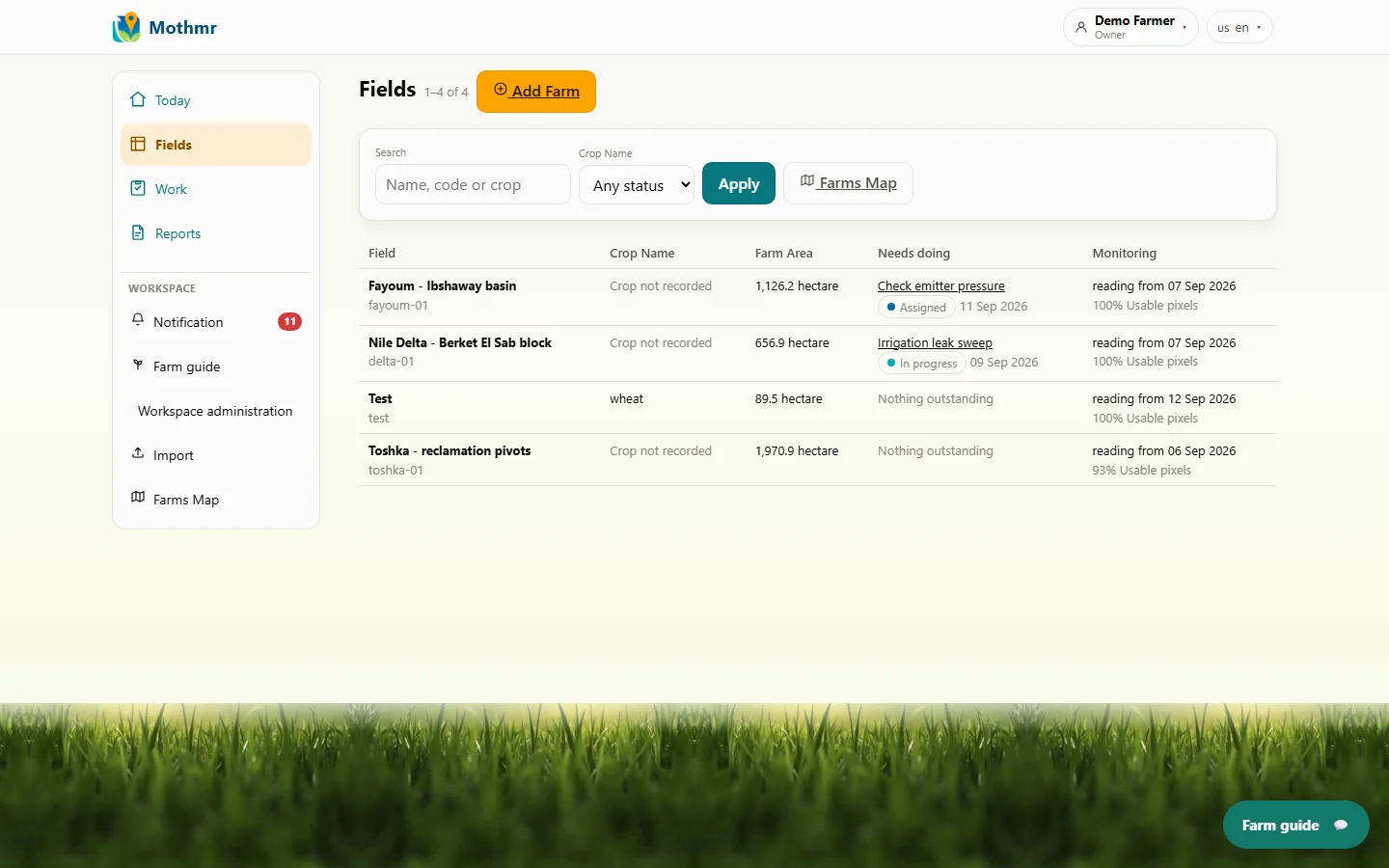
Keep field names, crops and areas together, with a direct path to their work. Draw a boundary or import existing parcels.
Crops, areas and work records stay connected to the right place.
Product preview · demonstration records
What the satellite saw
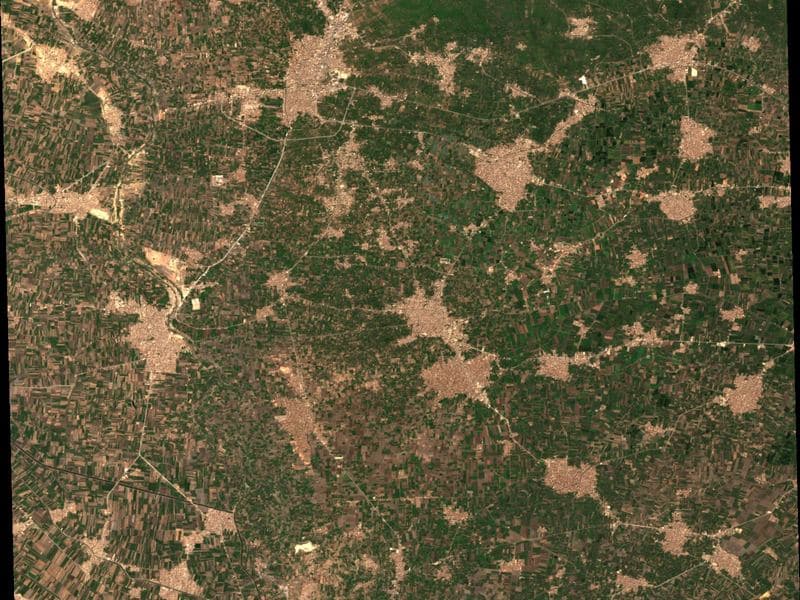
Three fields, as they were imaged.
Not photographs of farming — the product's own output. Each is a parcel Mothmr monitors, drawn from the same satellite bands its readings are computed from.
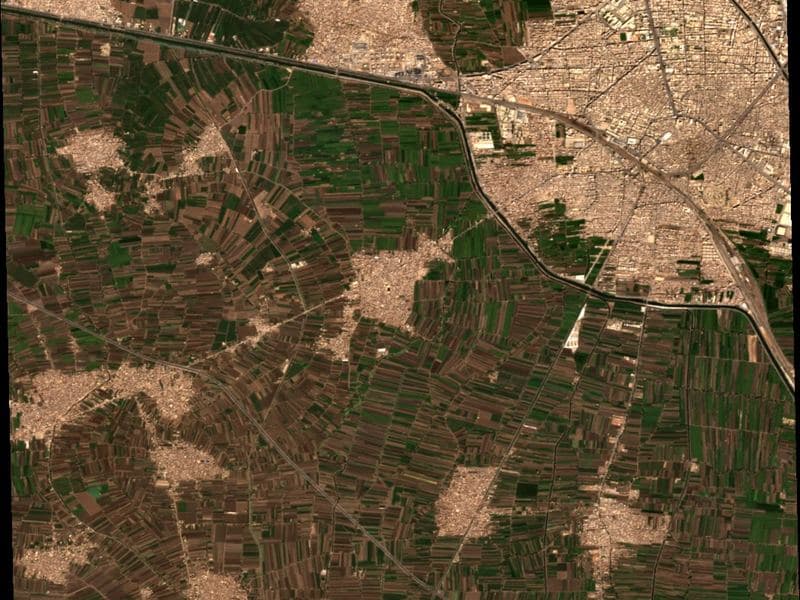 14 Sep 2026
Nile Delta
Smallholdings a few hundred metres across, packed between canals and villages. The parcel boundary is the unit of work here, not the farm.
- Area
- 657 ha
- Plant reading that day
- 0.36
 14 Sep 2026
Fayoum basin
An irrigated basin where the crop calendar and the water rota decide everything. Readings are read against the rotation, not a season.
- Area
- 1,126 ha
- Plant reading that day
- 0.47
14 Sep 2026Toshka pivots
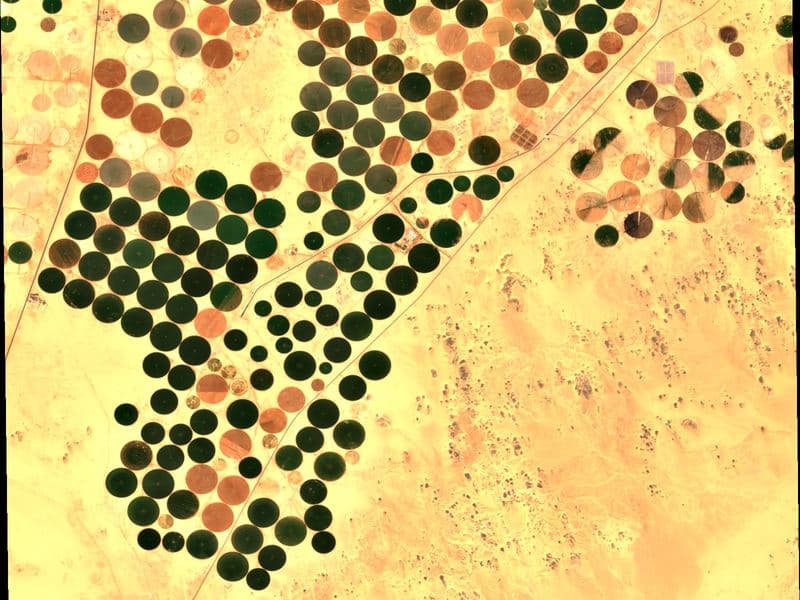
Centre pivots on reclaimed desert, each circle its own field. At this scale a supervisor cannot walk the block — the case Mothmr was built for.
- Area
- 1,971 ha
- Plant reading that day
- 0.30
True-colour imagery at 10 m. Parcels Mothmr monitors for its own demonstration records; not customer land and not customer results.
The whole product
Everything it does, named one by one.
Fields and boundaries
Draw a boundary on the map or import CSV, GeoJSON or KML. Review every proposed parcel before it is saved, and see each rejected row with its reason.
Satellite history, parcel by parcel
Every satellite pass is recorded with its acquisition date and how much of the field it actually covered. The last usable reading stays visible with its own date.
Seventeen readings, three groups
Plant for canopy vigour, water for the moisture the crop holds, and soil for exposed ground — computed from the same cloud-masked imagery.
Weather beside the work
A five-day forecast for the field's own coordinates, with temperature, humidity and rain charted against the days you are working it.
Advice with its evidence
Daily and seasonal advice for your crop and growth stage, shown beside the readings and thresholds it came from. Rules, not guesswork — it guides an inspection rather than replacing it.
Work orders and their proof
Turn an observation into a task with its field, person, due date and required proof. The crew submits photos and notes from a phone; a supervisor verifies or reopens it.
What needs review, first
Detectors read the observation series, the forecast and the task table and raise what deserves a closer look — without repeating what you already acknowledged.
Roles, and the fields behind them
Administrators, supervisors, field workers and viewers, each scoped to named parcels — enforced on the server, never by hiding a button.
Records you can take away
A dated history for every field, portfolio figures on the home screen, and exports as CSV or a printable report.
Also in the product
- Crop suitability planning, wherever the model covers your region
- Seasons and growth stages, configurable per crop
- Field sensor readings, received read-only
- Versioned partner API with signed webhooks
- Task updates queue offline until they sync
- In-app farm guide that answers from your records
- Support tickets answered inside the product
- Area in hectares, km², feddan or dönüm
Mothmr
One field. A shared understanding.
Give each person the context they need, without asking everyone to manage everything.
For the grower & farm manager
Bring your fields into one view. Follow seasonal work, review observations and understand where your attention is needed next.
For the supervisor
Coordinate assignments across your fields. See what is due, what is blocked and which completed tasks are ready for review.
For the people doing the work
Find the right task and its field. Read the instructions, record progress and attach the photos or notes your supervisor needs.
Sensor platforms Mothmr reads from
- The Things StackLoRaWAN · sends to us
- ChirpStackLoRaWAN · sends to us
- ThingsBoardSends to us
- AWS IoT CoreSends to us
- Davis WeatherLinkWeather · we fetch
- METOS FieldClimateStations and probes · we fetch
- ZENTRA CloudSoil and weather · we fetch
- ArableCanopy and weather · we fetch
- SencropWeather · we fetch
Each adapter is written against that platform's published documentation and tested against its payloads. None is yet a certified integration or a partnership — the setup screen says so until a real connectivity test is completed.
Before you get started
Good questions. Clear answers.
Are satellite observations live?
No. The satellite passes every few days, and clouds can hide the ground. Each reading shows its acquisition date and usable coverage. When a pass is obscured, the last usable reading remains dated and visible.
How local is the weather information?
Weather is a point estimate for the field's coordinates, not a measurement within every part of it. Some layers and official alerts need a configured provider. Unavailable information is marked as unavailable.
What happens without a connection?
Task updates and evidence can queue on the device until connectivity returns, where supported, and remain labelled as waiting to sync. Real-handset field acceptance is still pending; confirm the workflow on your devices before relying on it.
Can I bring my existing fields?
Yes. Draw boundaries on the map or import CSV, GeoJSON or KML files. Review the proposed parcels before saving them. Each new field enters its own processing queue.
Who can see my fields and tasks?
Access follows workspace membership, role and assignment. Supervisors see their assigned fields, and workers see the tasks assigned to them. Organization access is configured with your team.
How do we discuss pricing?
There is no published price list yet. For a team pilot, the fields, workflow, duration and scope are agreed with you before discussing the price. Request a demo on mothmr.com and tell us what you need.
Let's start with your land.
Create an account and add your first field, or plan a demonstration around your fields and your team's workflow.
Built by 3lom.ai
Need a custom agritech or geospatial platform? The team that built this product can build yours.